
Report Impersonation
Report hospitals and clinics impersonating board-certified plastic surgeons!
Impersonating a board-certified plastic surgeon and operating under an illegal signboard are unlawful acts.
Please visit e-People and file your report!
HOW TOHow to File a Complaint on e-People
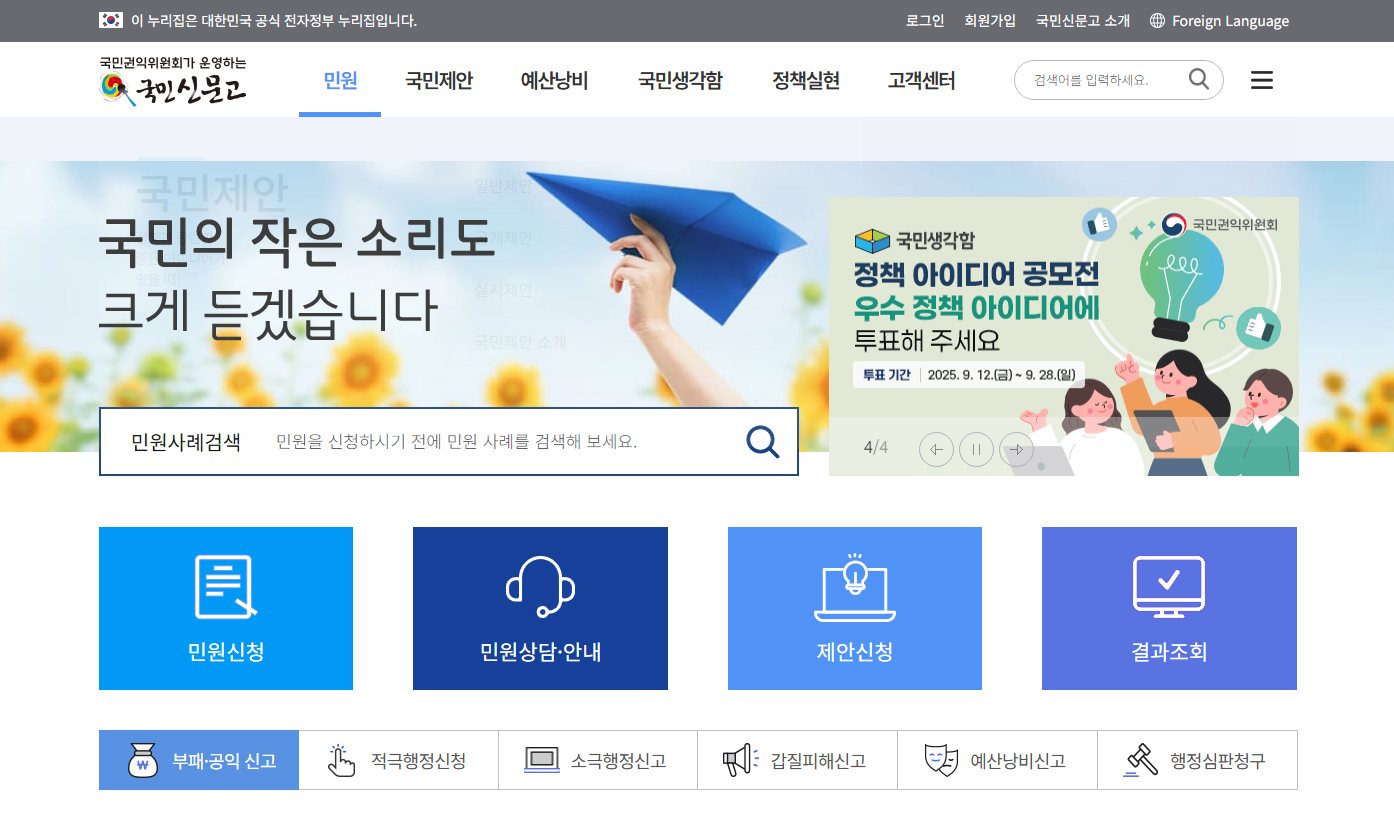
- STEP 1
Access e-People
- Website: https://www.epeople.go.kr
- You can also access it by searching for '국민신문고' (e-People) on a portal site
 Enlarge
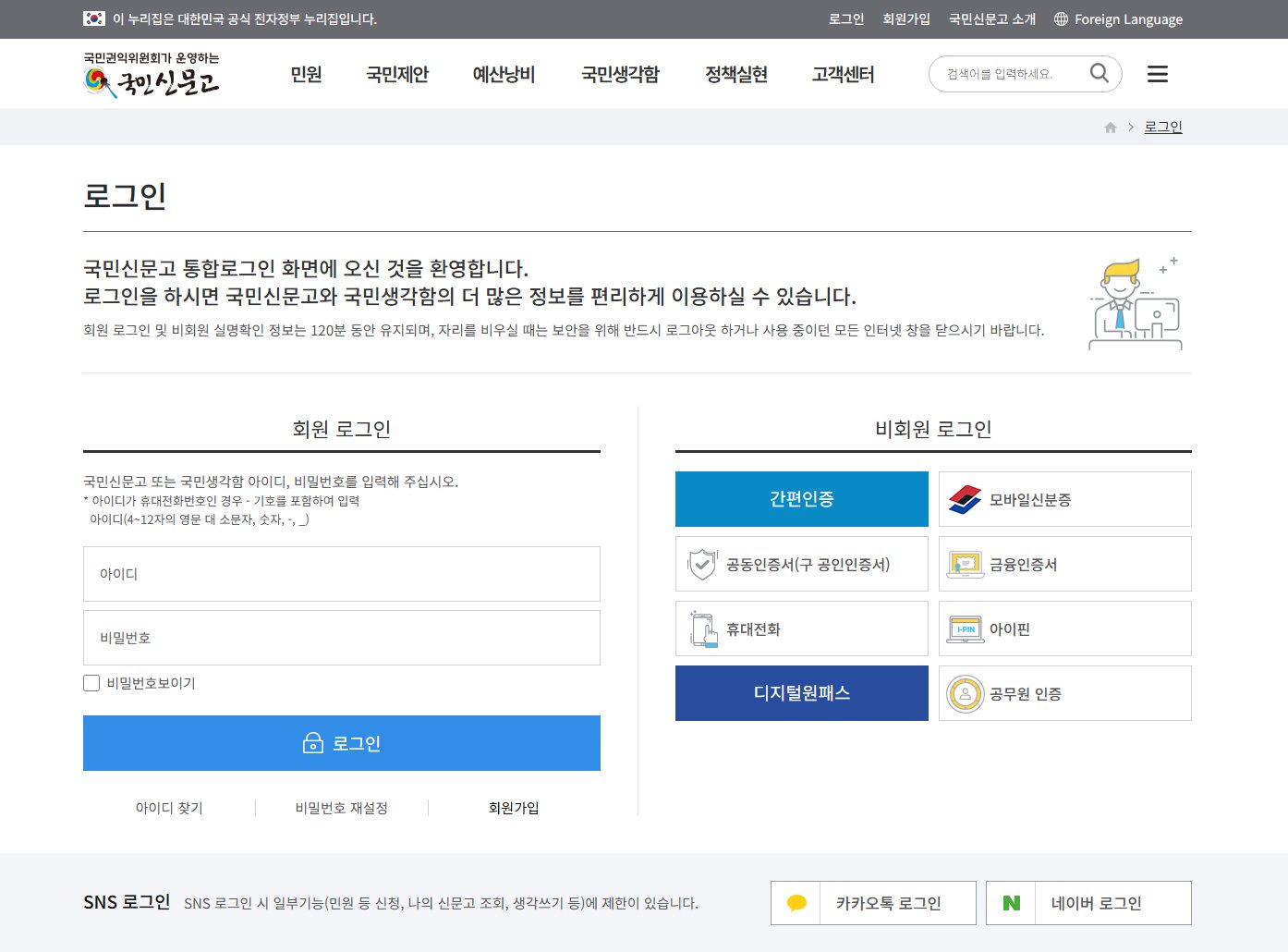
 - STEP 2
Sign Up or Log In
- Sign-up: You can register through personal identity verification (mobile phone, joint digital certificate, etc.)
- Complaints can also be filed without signing up, but checking their progress may be limited
 Enlarge
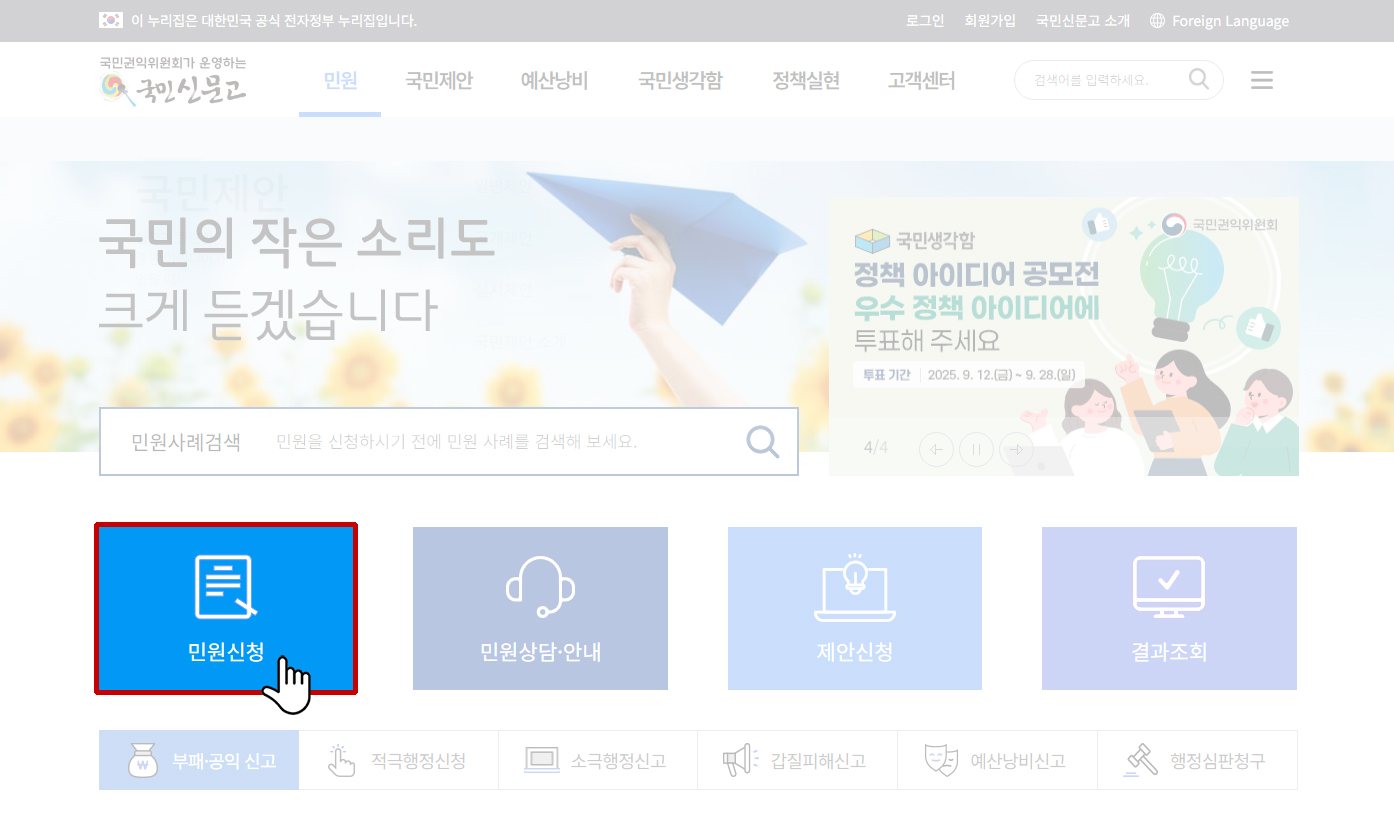
 - STEP 3
Select the Complaint Application Menu
- Click 'Apply for Complaint' ('민원 신청') in the top menu
- You can choose a type such as 'File a Complaint' ('민원신청하기'), 'Corruption and Public Interest Reports' ('부패ㆍ공익신고'), 'Proposals and Participation' ('제안ㆍ참여') or 'Request for Information Disclosure' ('정보공개청구') (for general reports of inconvenience or requests, select 'File a Complaint' ('민원신청하기'))
 Enlarge
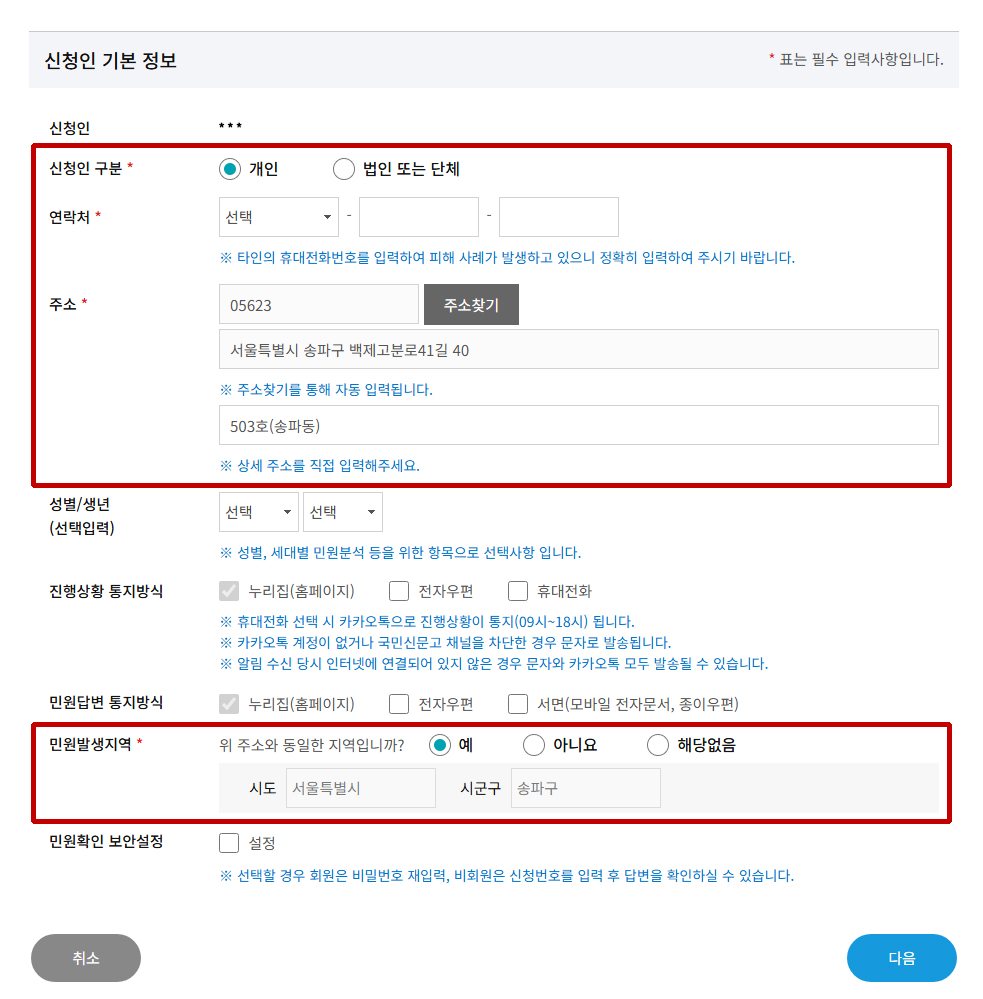
 - STEP 4
Personal Information and Consent
- Consent to the provision and use of personal information is required → Enter the complainant’s contact details, address, etc. → If the place where the matter occurred is online, check 'Not applicable' ('해당없음')
 Enlarge
 - STEP 5
Fill In the Form
- Title: Write briefly so that the key point of the complaint is clear
- Content: Describe specifically when, where and what happened (a fact-based account and polite language are recommended)
- Attachments: Supporting evidence may be attached if available (photos, documents, etc.)
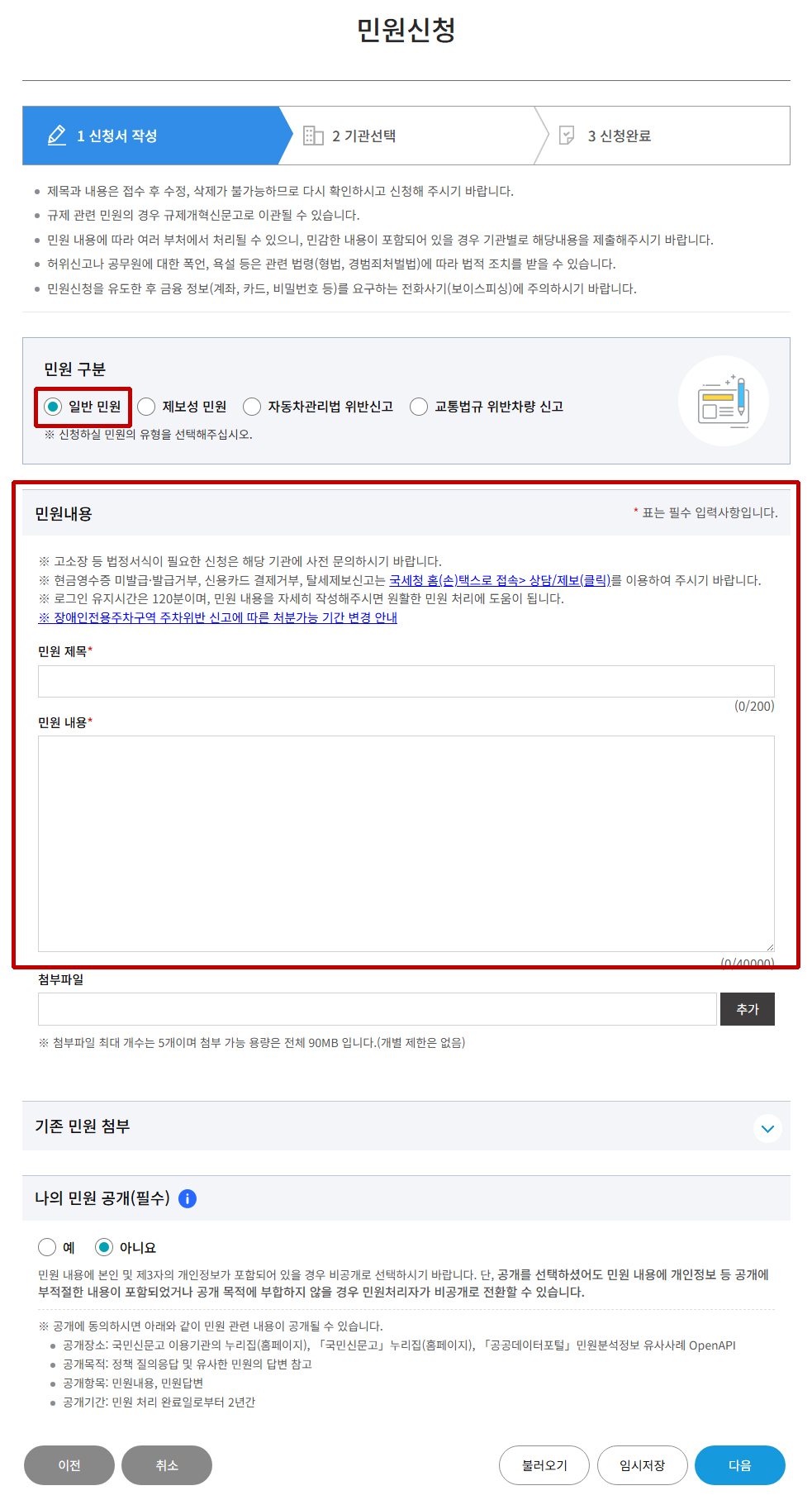 Enlarge
 - STEP 6
Automatic Assignment or Manual Selection of the Handling Agency
- The relevant ministry or local government is assigned automatically according to the content of the complaint
- If you wish, you may also select the agency yourself
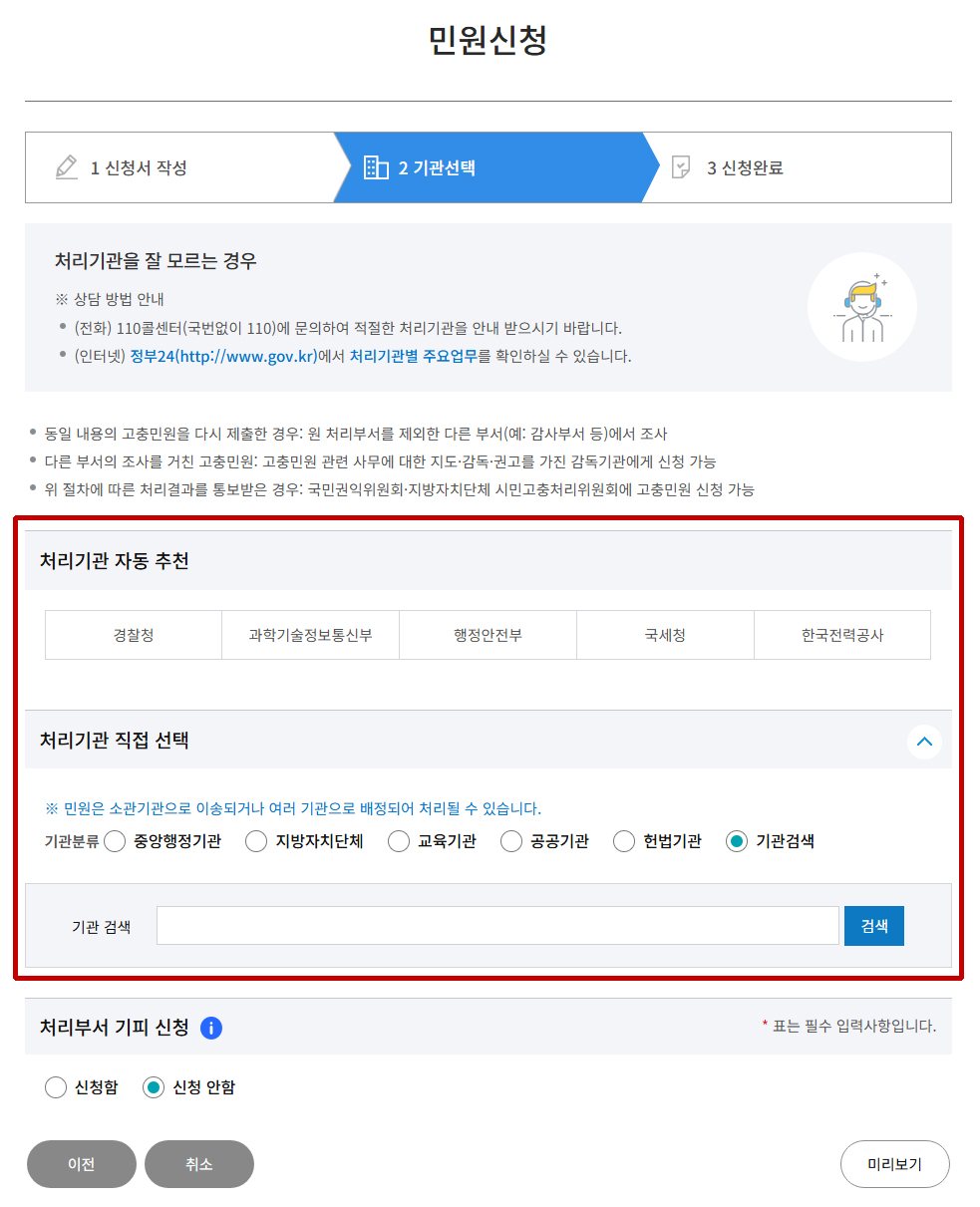 Enlarge
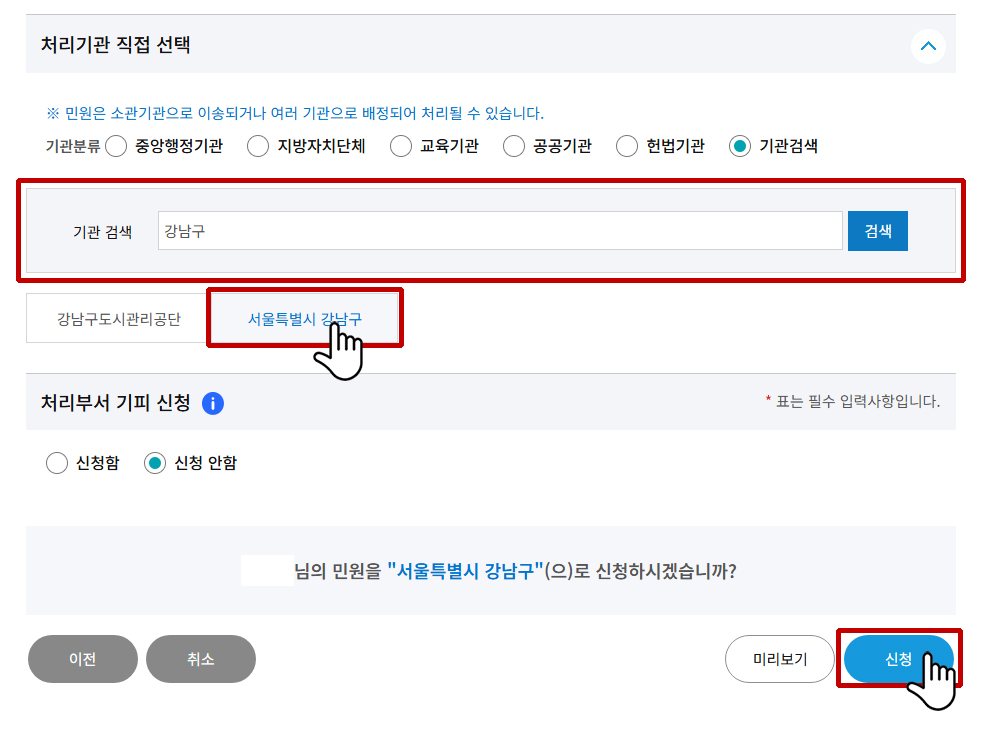 Enlarge
 - STEP 7
Complete the Application and Check the Receipt Number
- A receipt number is issued once the complaint has been filed
- You can check the progress in the [Complaint Processing Status ('민원처리현황')] menu
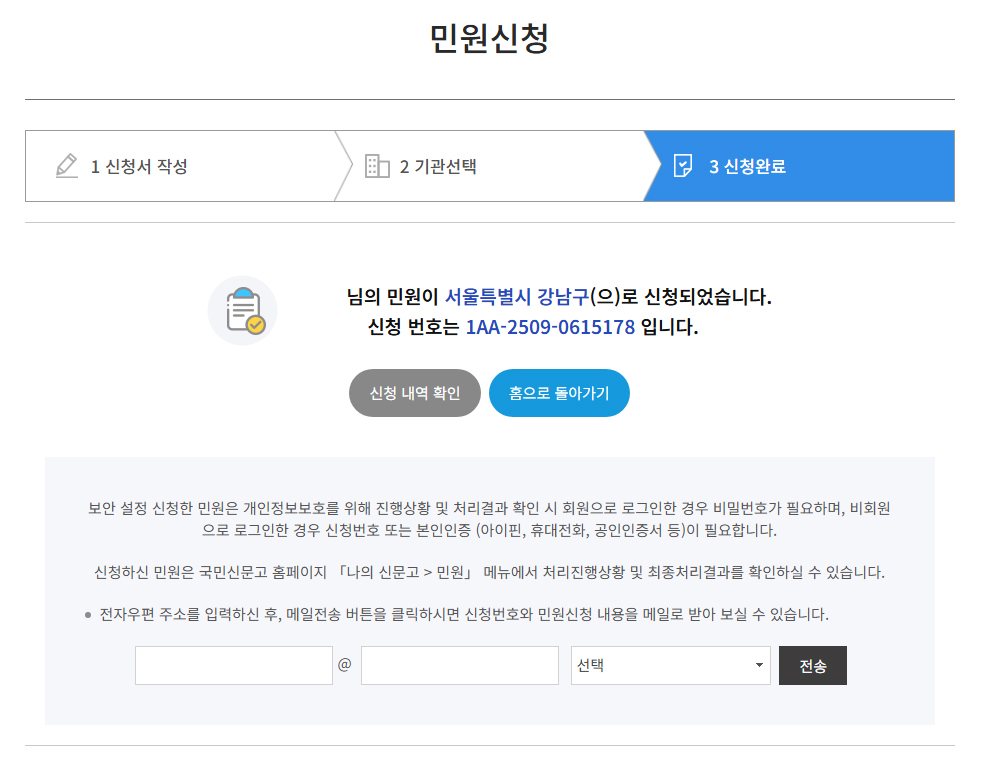 Enlarge
TIP
Additional Tips
- The processing period is usually within 7 days (business days); complex cases may take longer.
- Responses can also be received by text message or email.
- If a complaint is handled unfairly, you may file an objection.
REPORT
Report online
Please leave the details of the clinic and what happened. You can also contact us by phone.
This page is translated from the Korean original.